Java heap space, native heap and memory problems

Recently, I was discussing with a friend, why the Java process uses more memory than the maximum heap that we set when starting the java process.

All java objects that code creates are created inside Java heap space, which its size is defined by the -Xmx option. But a java process is consisted by many spaces, not only by the java heap space. A few of spaces that a java process is consisted are the following:

  • Loaded libraries (including jar and class files)
  • Control structures for the java heap
  • Thread Stacks
  • Generated (JITed) code
  • User native memory (malloced in JNI)
  • … more…

In a 32-bit architecture system, the total process size cannot exceed 4GB. So, a 32-bit java process is consisted by many spaces (java heap, native memory (C-Heap) and other spaces) and its allocated space cannot exceed 4GB.

Assume on a 32-bit production system you run a java application server with -Xmx 1.5 GB (java heap is set to 1.5 GB) for a long time, with many applications deployed. After some time, customer wants to deploy on the same application server more applications. System operator(s) understands that as server will have to process more requests will also need to create more objects and do more processing. So, as a future proof solution operator(s) decides to increase maximum heap of java process to 2 GB.

OK, it looks like a good approach, but what did it really happen on this production application server in reality??? (This is a real case)

The application server crashed with OutOfMemoryError !!!
Can you think about the possible causes?

My first thought was that 2 GB were not enough for all these applications with this load. Unfortunately, the problem was something else.

What do you think now? I will help you a little.

java.lang.OutOfMemoryError: requested 55106896 bytes for Chunk::new.

The real cause was that already deployed (old) applications were needed too large size for the native (C-Heap) memory. Before operator(s) increase the size of the heap size (from 1.5GB to 2 GB) they had not monitored the required native memory space of the old applications. The side effect of this action was to automatically decrease the available maximum size of native memory of java process (from 2.5 GB to 2GB). As the old applications were already use so large size for native memory, this change crash the server!!!

The only accepted solution on this case was to avoid increase the maximum heap size, deploy the new applications and live with less throughput. It is not a perfect solution, but it is the only one viable for this case (as our java process has to be 32-bit).

Especially in 32-bit systems, be aware of the required size of native memory of java process, before you increase the java heap size. If you are in a situation where these two spaces conflict, then the solution may not be so easy. If you cannot change your code to overcome this situation, then the most common solution is to move to a 64-bit system, where the maximum process size limit is too much larger.

There are four major things to remember:

  • The maximum limit of size of a process
  • The size of a java process is not only consisted of java heap
  • The size of native (C-Heap) memory of a java process cannot be configured explicitly, as it is possible with the java heap space
  • The size of java heap space and native (C-Heap) memory space an application requires is only defined by the application and there is not any standard ratio between these two spaces

Happy new year 🙂
Adrianos Dadis.

Democracy Requires Free Software

Posted in Java | Tagged , , , , , , | 2 Comments

Invaluable books for an enterprise software engineer

I am again in the design phase of a very large project. The project context is to provide a new solution for the core services and core integration infrastructure around the prepaid platform on the largest telecommunication organisation in Greece. This is the most intrinsic motivation for me, define the essential architecture, spot the tricky points of requirements and provide a durable and efficient solution.

Two are the most common ways to become a very skilled enterprise software engineer/architect. The first is to work hard with such skilled people and the second is to read books that are really useful.

I present here a list of books that have really helped me to construct/design enterprise quality software. The order of books is meaningless.

Development

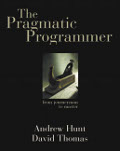
The Pragmatic Programmer: From Journeyman to Master
Authors: Andrew Hunt, David Thomas


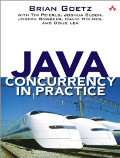
Java Concurrency in Practice
Authors: Brian Goetz with Tim Peierls, Joshua Bloch, Joseph Bowbeer, David Holmes, Doug Lea


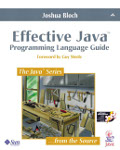
Effective Java Programming Language Guide
Author: Joshua Bloch


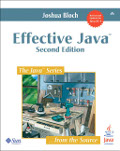
Effective Java 2nd Edition
Author: Joshua Bloch


Integration

Patterns of Enterprise Application Architecture
Authors: Martin Fowler with Dave Rice, Matthew Foemmel, Edward Hieatt, Robert Mee, and Randy Stafford


Enterprise Integration Patterns: Designing, Building, and Deploying Messaging Solutions
Authors: Gregor Hohpe, Bobby Woolf


Design Patterns: Elements of Reusable Object-Oriented Software
Authors: Erich Gamma, Richard Helm, Ralph Johnson, John Vlissides


Service-Oriented Architecture: Concepts, Technology, and Design
Author: Thomas Erl
(only a few chapters, which are really valuable)


SOA Principles of Service Design
Author: Thomas Erl
(only a few chapters, which are really valuable)


General

The Mythical Man-Month
Author: Frederick Brooks


This is not a closed list, but contains most of the books that I really like (for now). I know that there are newer books, which are great too, and also new languages that are really very promising, but these are the books that really help me to become what I am.
What am I really??
Maybe the book that I read now may help you and me on this definition 🙂
The book I read this period is this:

Synthetic Overview of the Collaborative Economy
Authors: Michel Bauwens and Franco Iacomella, Nicolas Mendoza, James Burke, Chris Pinchen, Antonin Leonard, Edwin Mootoosamy


I am a fan of Free Software and Open Source ideas. These ideas are not restricted only to software development, but to many areas out of software field (check Open Source Ecology).

I am not trying to advertise these books, or the authors or the publishers. I just respect theirs work and that’s why I mention these books in this blog.

Regards,
Adrianos Dadis.

Democracy Requires Free Software
Posted in Java, Java EE, Release Management, Software Development | Tagged , , , , | Leave a comment

How to identify if installed JDK is 64 or 32 bit

As you all know, all the modern CPU models are all 64-bit. The software we use on a such machine could be 32-bit or 64-bit. In a 32-bit operating system (OS) you can only install 32-bit software, so you can only have 32-bit JDK. In a 64-bit OS you can install 32-bit and/or 64-bit software.
There are still a few platforms that are only compatible with 32-bit JDK, like the HP OpenCall Convergent Communication Platform that I am working with. HP has almost ready the 64-bit release, but this is another story.

There are times that you login to a server with an already installed JDK and you have to know if this is a 32-bit or a 64-bit JDK.
My recommended procedure to find it out is to run in a CLI this command:
$> java -d64 -version

You can run this command on 32-bit and 64-bit JDKs, but it produces different result, where you can understand which kind of JDK you are using.
Here is a sample output:

32-bit JDK

$> java -d64 -version
Running a 64-bit JVM is not supported on this platform

64-bit JDK

$> java -d64 -version
java version "1.6.0_31"
Java(TM) SE Runtime Environment (build 1.6.0_31-b05) 
Oracle JRockit(R) (build R28.2.3-13-149708-1.6.0_31-20120327-1523-linux-x86_64, compiled mode)

When you running it on a 32-bit JDK, the command is not supported, so you get an error message. While when running it on 64-bit JDK you get the information of the installed JDK.
This method works both with HotSpot and JRockit JVMs, but it is only supported on Linux and Solaris (thanks to Petros catch).

Regards,
Adrianos Dadis.

Democracy Requires Free Software

Posted in Administration, Java, Software Development | Tagged , , , , , | 2 Comments

Java Thread at RUNNABLE state is not really running

Recently, I was doing an analysis/tuning on a Java application server installation in order to identify the bottlenecks and fix them. The most common action in such procedure (tuning) is to retrieve many Thread dumps, when system is on load. Please have in mind that heavy load (for some cases) may have side effects that they may lead us to wrong conclusions. So, a more “controlled” load is more preferable than a real heavy load.

When system is on load, you will notice that many Java threads are on RUNNABLE state, but they are not really running. They are waiting for “something“.

The most common reasons that cause threads to wait even they are in RUNNABLE state are the following:

  1. Insufficient CPU Resources: When you have more running threads than virtual CPUs, then it is normal to have delays from context switching, kernel, OS jobs and other processes of system.
  2. Insufficient RAM: If your RAM is not enough them your system will use swap and this always a problem.
  3. I/O: When a thread is in a read() or write() call and waiting for data to write or read, then this Thread is at RUNNABLE state but it is not actually run.
  4. Slow Network: This is related to #3, as much slower is a network, it will cause longer delays to the “running” thread(s) that are related to network actions.
  5. Process Priority: Processes can have different priorities. If JVM process runs with low priority, then other processes will run more frequently in a CPU. You can this using tools like top (GNU Linux), prstat (Solaris), task manager (Windows).
  6. Garbage Collection (GC): When GC is running, there are points (stop-the-world) where all threads of JVM (except GC threads) are freezing. At these points, GC is deleting the useless referenced objects and so freeing the available memory size of heap (but only this). We have to use a such strategy (like CMS or G1) that it will minimize the frequency and duration of stop-the-world points.

The only one reason that is completely caused by JVM is the last one (GC activity). All the other points are mostly depended on OS and hardware. Thus, we must always monitor the system (OS and hardware) too, not only the JVM.

You must have in mind that Java does not use/follow its own threading model. Also current JVM (Hotspot) uses native OS threads and thread scheduling is implemented by underlying OS.

Regards,
Adrianos Dadis.

Democracy Requires Free Software

Posted in Java, Software Development | Tagged , , , , | 5 Comments

Enable Java plugin in Iceweasel, Firefox and Chrome in Debian

I am fan of Debian GNU/Linux wheezy and I am using three different browser’s (Iceweasel, Firefox, Chrome) for various reasons. If you want to enable Java plugin for all those three browsers, then there is a single action that can do the work for you.

First of all you have to install a JRE, in order to have a VM environment for your browser. This could be provided by SUN (now Oracle) JRE 6 or 7 , or OpendJDK 6 or 7.  If you have installed any of these, then you have to locate the location of the required library (for Oracle JRE is the “libnpjp2.so” file) and create a symbolic link to this.

Just follow these steps:

1) Create “plugins” directory for Mozilla:

$> mkdir /home/myuser/.mozilla/plugins

2) Create library symbolic link:

$> ln -s /opt/myjdks/jdk/jdk1.6.0_26/jre/lib/i386/libnpjp2.so  /home/myuser/.mozilla/plugins/

As you can see I use Oracle JDK 6 (1.6.0_26), which I have downloaded from Oracle and just extracted to directory “/opt/myjdks/”.

You can do it with one command, but I split them to two separate commands to be more readable.

If you have installed Firefox as me (downloaded from Mozilla and just extracted somewhere and using a different profile in order to use Firefox and Iceweasel concurrently), then this Firefox will use this plugin too.

UPDATE: 16/2/2014
It is very easy to install Java plugin in your browser, using package icedtea-7-plugin.
In a Debian like system, just run this as root:
$> apt-get install icedtea-7-plugin
This will install web browser plugin based on OpenJDK 7 and IcedTea.

Regards,
Adrianos Dadis.

Democracy Requires Free Software

Posted in Administration, GNU/Linux | Tagged , , , , , , | 14 Comments